For businesses doing $500K to $20M in sales
Your numbers, finally clear.
Focus on Cash reads your Profit and Loss and Balance Sheet and tells you what is happening in your business, in plain English.
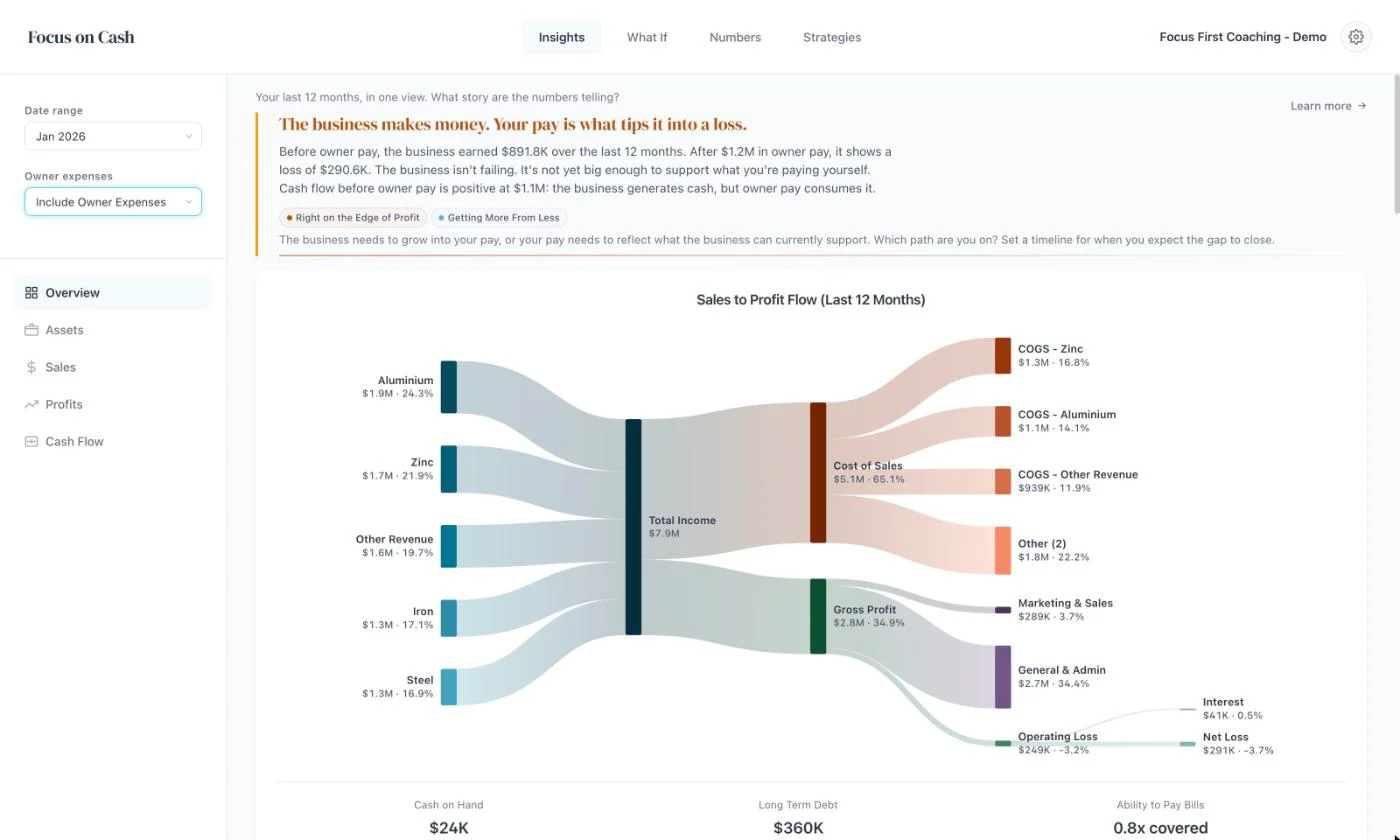
See your numbers while you can still do something about them.
Today
- Your accountant’s reports arrive weeks or months after the period ends.
- The reports in Xero show the numbers, but not what they mean.
- Your own spending sits inside the business, so it looks worse than it is.
- A price rise or a new hire gets decided on gut feel.
- You find out cash is tight when the bank balance tells you.
With Focus on Cash
- Upload or sync whenever you like, and the analysis is ready straight away.
- Your numbers come with what they mean, in plain English.
- One switch shows the business with and without your own costs.
- Test a price rise or a new hire in the What If before you commit.
- Cash flow and cash runway sit next to profit, so you can see a squeeze coming.
Owner expenses
Your pay can hide a good business.
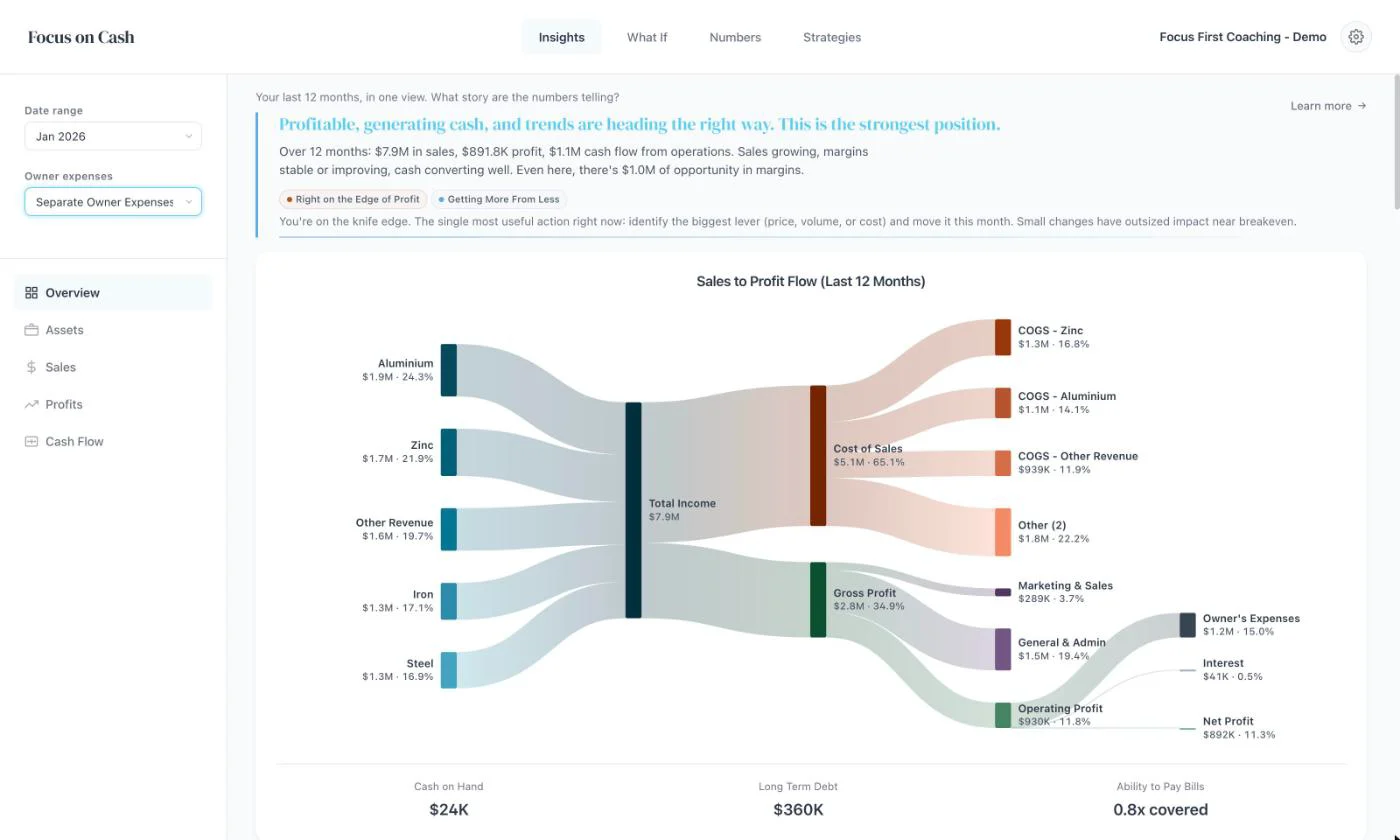
With the owner’s costs inside it, the demo company above shows a loss. Separate what the owner spends through the business, and it made $891.8K over the last 12 months.
One switch shows the business with and without the owner’s costs. Then you can decide: grow the business into your pay, or set your pay to what the business can carry.
Set up
Sort your accounts once.
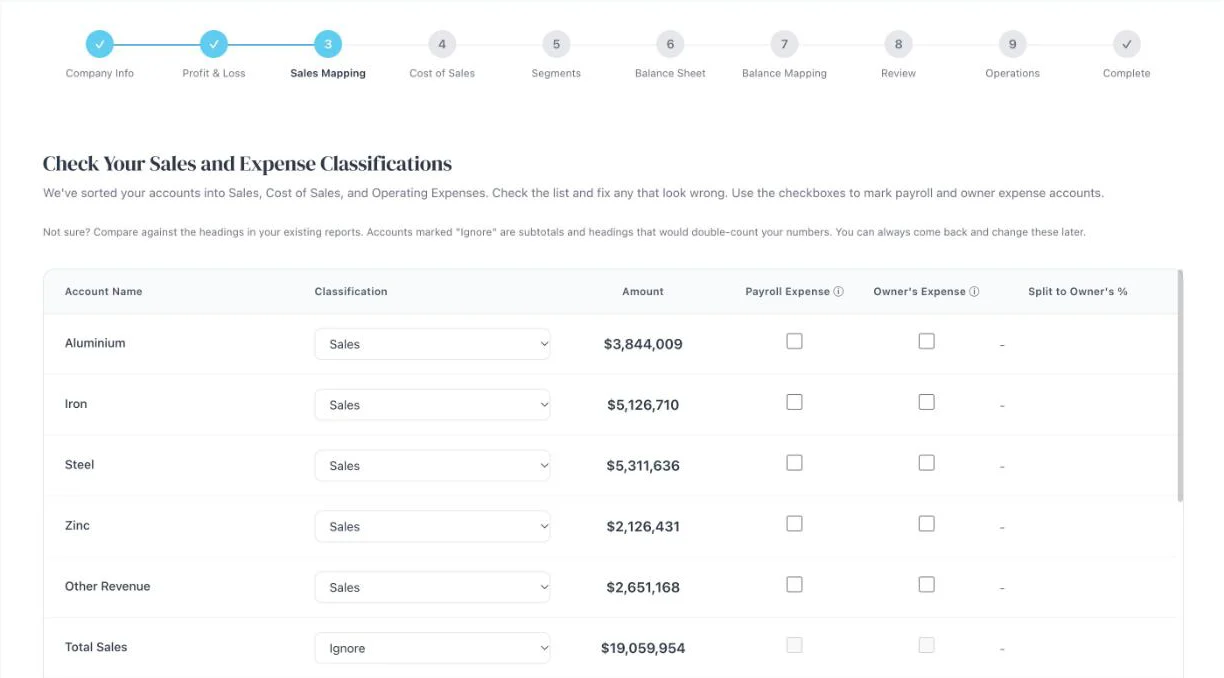
On the first upload, Focus on Cash sorts your accounts into Sales, Cost of Sales and expenses. Check the list and fix anything that looks wrong.
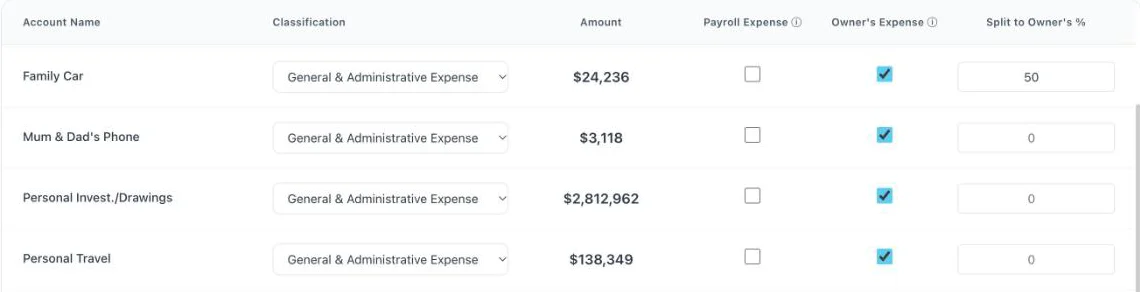
Tick the costs that belong to the owner, and split shared ones like the family car. Focus on Cash remembers, so every later upload or Xero sync uses your choices.
Try it
Test a decision before you make it.
This is the real What If screen, running on the demo company. Change price, sales volume, costs or how fast customers pay you, and watch profit and cash move. No login.
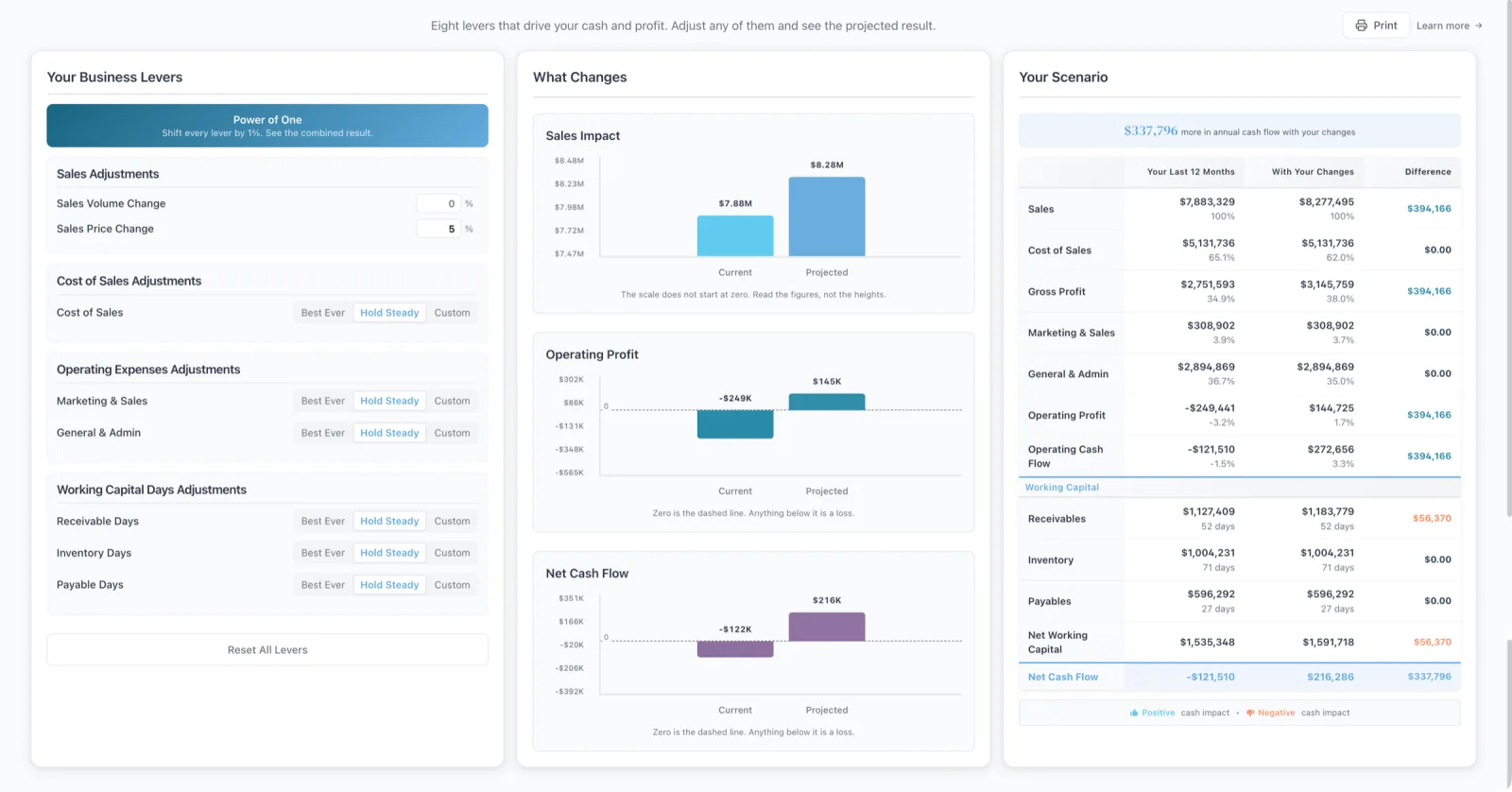 Open the What If
Inside the app
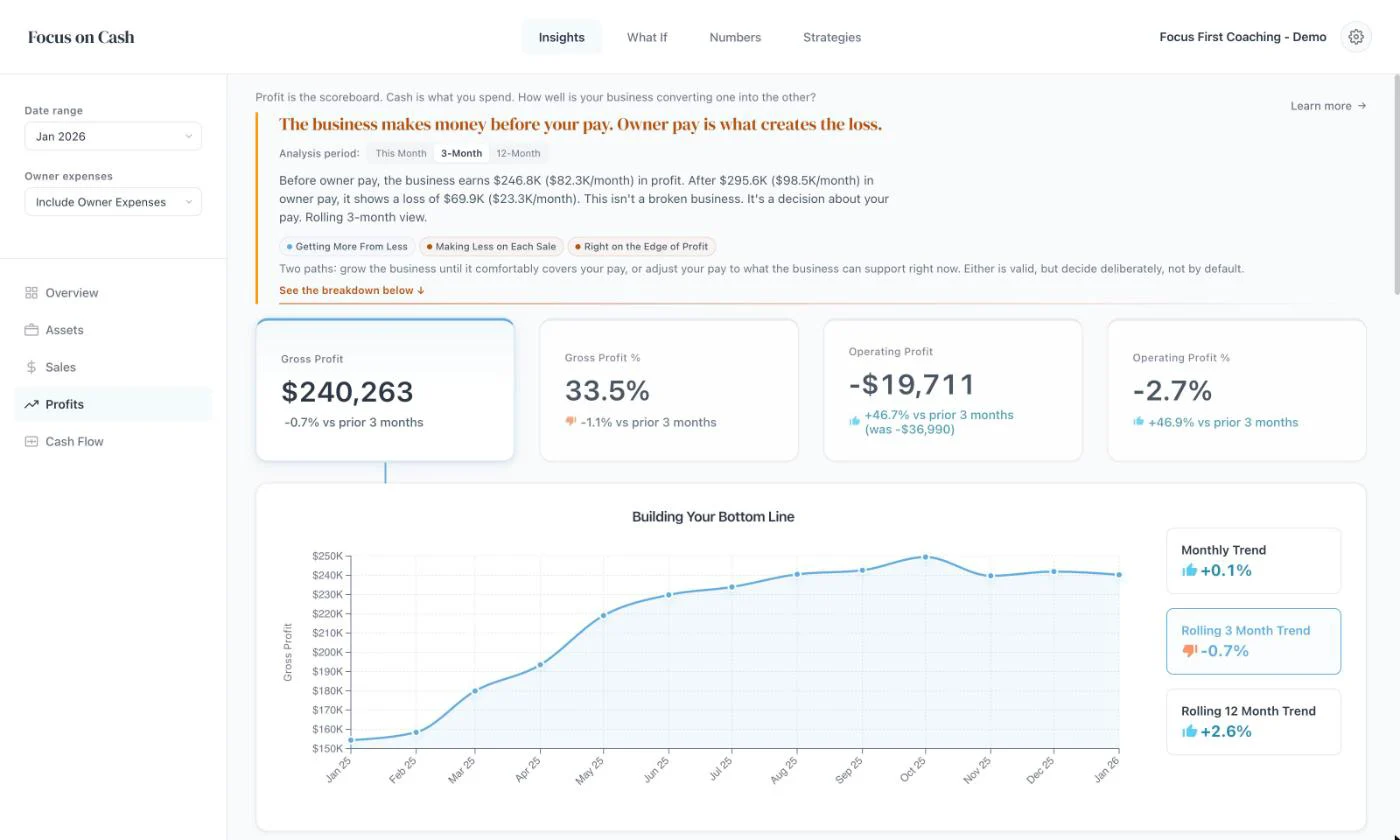
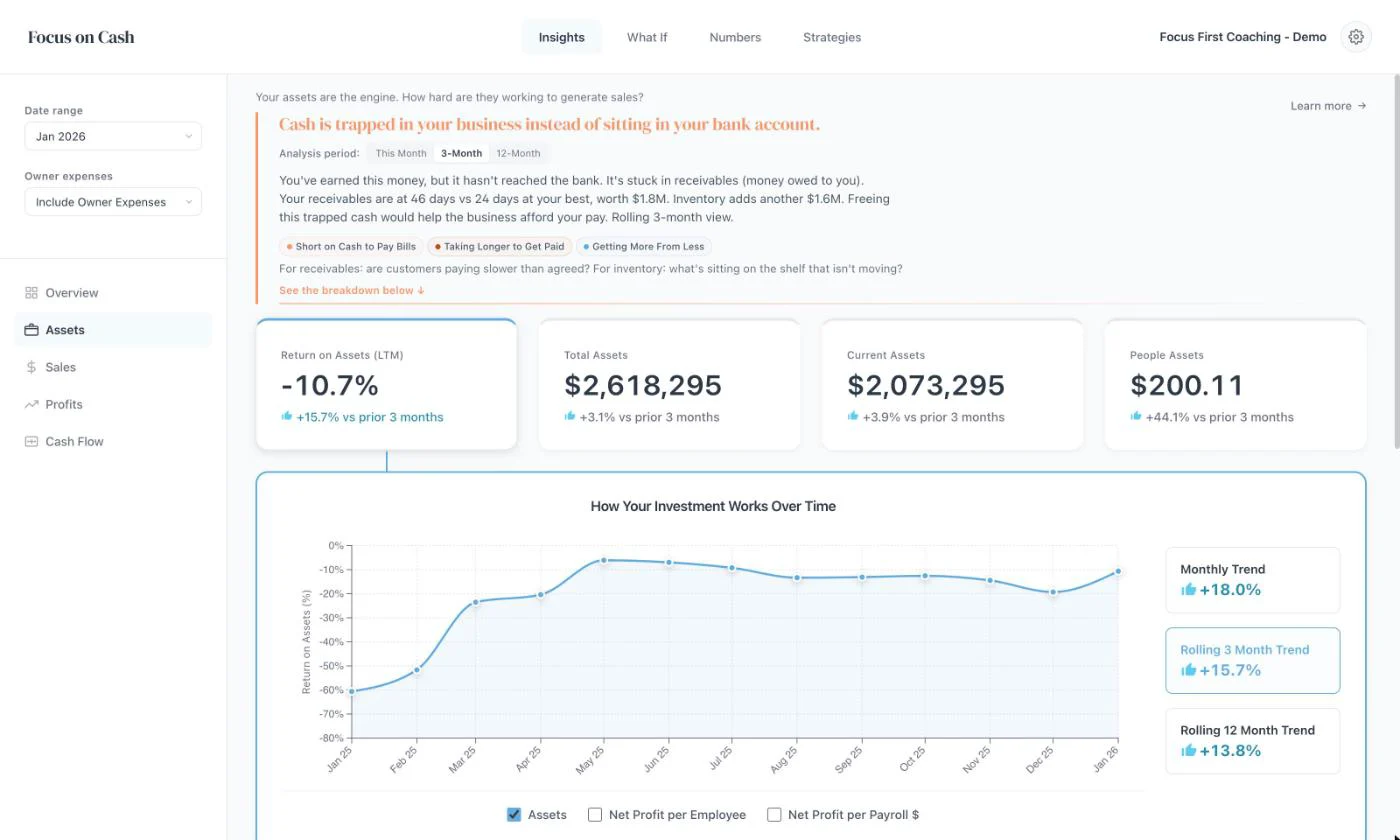
More screens from the app.
Who it’s for
Built for businesses that already work.
Focus on Cash is for profitable, growing businesses that want to make decisions from their numbers.
A good fit
- Businesses doing $500K to $20M in sales
- Owners ready to make decisions from the numbers
- Coaches and advisors who want one method for every client
Not the right fit
- Startups not yet trading
- Businesses in financial distress
- Anyone looking for bookkeeping or tax
Coaching or advising several businesses? One flat price covers your whole client list. How it works for advisors
See it first
See your business clearly.
Mandy Walker, the founder, will walk you through the platform and answer your questions.